

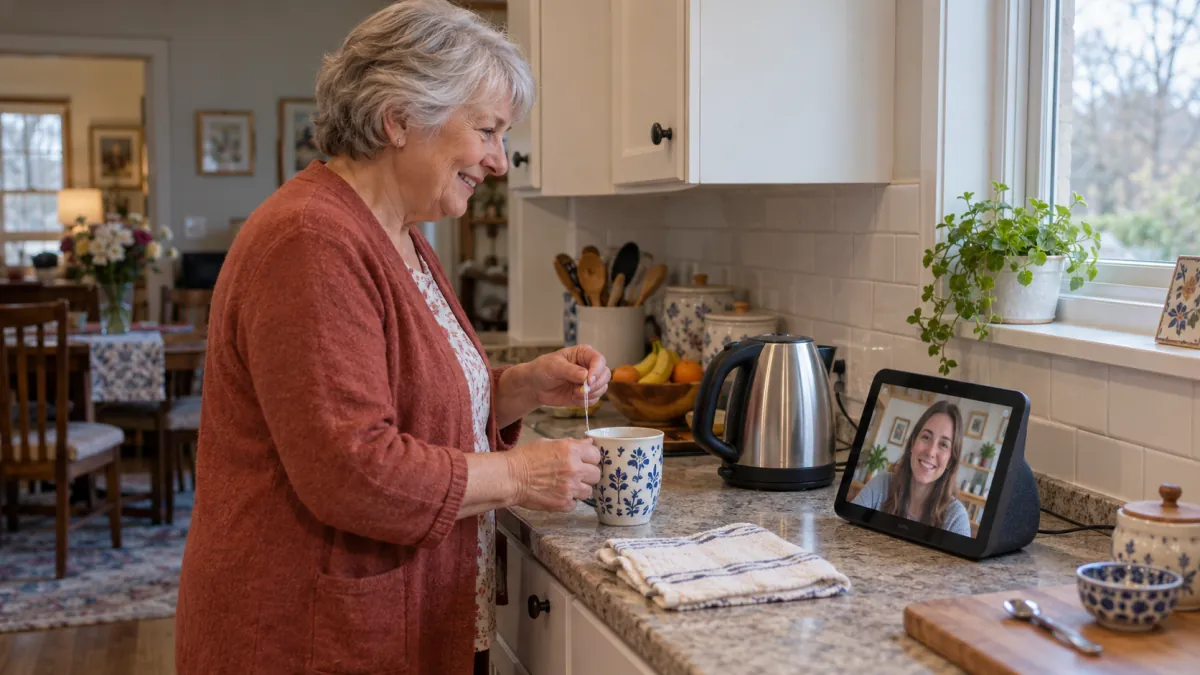
You can already picture it: your parents ask for a song, see the grandchildren on a bigger screen, and stop balancing a phone against the sugar bowl during Sunday calls. An Echo Show sounds like a thoughtful gift.
Then comes the part that rarely makes the gift guide: who sets it up, what your parents actually want to do with it, and what happens when something changes after you've gone home.
An Echo Show can make sense for parents who want its everyday uses and feel comfortable with a connected display. Before buying, work through these seven checks together. This guide draws on current Amazon documentation, checked October 23, 2026; it isn't a hands-on review. If photos are the main attraction, our digital photo frame versus smart display guide can help you narrow the choice first.
1. What will your parents actually use it for?
Start with something they already enjoy or wish were easier. Maybe Dad wants to see everyone during a family call. Maybe Mom likes music while making breakfast. A useful gift has a place in an existing day.
Ask, “Would you use a screen on the counter for our calls?” That's easier to answer than “Would you like an AI assistant?” Let the answer change your shopping plans.
Write down one main use and one optional extra. Resist turning the conversation into a tour of every feature. Your parents don't need to become interested in smart-home controls to appreciate a good call with their grandchildren.
Before you buy: finish this sentence with your parent: “I'd use it for ___, usually when ___.” If neither of you can fill the blanks, give the decision a little more time.
2. Where would it belong in their home?
Choose the location with your parents. A kitchen counter may be convenient for you and precious working space to them. A bedside table may be easy to reach but an unwelcome place for a camera.
Look at the spot from where they'll actually sit or stand. Think about glare, background noise, nearby power, and whether the screen would face a comfortable place for a call. Check the dimensions of the exact model before ordering.
You can do a simple rehearsal with a phone or tablet: prop it in the proposed spot and have a short conversation. This won't test the Echo Show itself, but it can reveal an awkward angle or a loud television nearby.
Before you buy: ask, “Would you still want this sitting here when nobody is visiting?” A clear yes matters more than how good it looks in a product photo.
3. Who will do the first setup?
Plan a setup visit or an agreed time to help. Amazon's guide for the current Echo Show 8 and 11 describes scanning a code to open the Alexa app, following its setup steps, and allowing software updates to finish. Leave time for that process before planning the first family call. Amazon's setup guide
Decide whose account the device should use and how your parents will retain access to it. Helping them enter settings doesn't mean keeping their passwords or becoming the owner of their day-to-day account.
Make the first session small: connect the device, try the main use, and show them how to stop. If your parent wants to press the buttons while you explain, let them. A successful demonstration in your hands tells you less than a comfortable attempt in theirs.
Before you buy: confirm that the required app and account can be set up with your parents' available devices and preferences.
4. Can the rest of the family join the conversation?
Check the whole calling route. “It does video calls” leaves out who can call whom, which app each person needs, and where an incoming call appears.
Amazon says Alexa Communication users need to register; calls to another registered user can reach supported Echo devices and the Alexa app associated with that contact. Verify the particular route your family plans to use. Amazon's communication FAQs
Choose one willing relative for the first test. Have them call from the phone or device they would normally use, rather than from another device you've temporarily configured for the demonstration.
Practice answering, changing the volume, and ending the call. Then swap roles so your parent can start one. Keep the family phone routine available while everyone gets comfortable.
Before you buy: ask a family member to check their side of the setup. If your parents' favorite people won't use the calling route, the screen may not solve the problem you had in mind.
5. Do your parents control who can connect—and when?
Explain Drop In before enabling it. It's an optional feature: after permission is granted, an authorized connection can open automatically, including audio and, on supported screen devices, video. Your parent doesn't approve each Drop In as it arrives. It differs from answering an ordinary call. Amazon's Drop In explanation
Amazon documents controls to revoke contact permissions or disable Drop In for a device. Do Not Disturb is also available. Find and practice the relevant controls together rather than assuming your parents will remember where they are later. Amazon's Drop In controls
Ask a direct question: “Would you like us to be able to connect this way, or would you prefer to answer each call?” Either answer is useful. Choosing regular calls doesn't make the gift less successful.
Also check Home Monitoring/Live View and camera controls for the exact model separately. Amazon notes that disabling Drop In does not necessarily disable Live View on a compatible device. Amazon's camera and Live View FAQs
Before you buy: agree on the connection your parents want. Our family check-in guide offers ways to keep contact comfortable.
6. What will the gift cost after the box is opened?
Separate the device price from the services you expect to use. Compare the total for your intended routine, including any optional subscriptions, rather than assuming the purchase includes every feature shown in an advertisement.
As of October 23, 2026, Amazon lists the full Alexa+ experience in the United States at $19.99 per month for non-Prime customers and at no additional cost for Prime members. The free non-Prime tier offers usage-limited text chat through Alexa.com and the Alexa app. These are Alexa+ terms; they aren't a statement that every original Alexa function requires that subscription. Amazon's Alexa+ pricing explanation
Check any music, video, or other service separately, including what happens when a trial ends. Availability and terms can differ by country and account.
Before you buy: write down the hardware cost, recurring costs, and who will pay them. If a subscription is part of your gift, tell your parents how long you're covering it.
7. Who helps after the first weekend?
Give the gift a modest support plan. Your parents should know what to try when something seems wrong and how to reach you without feeling that every question is an interruption.
Leave a short card with their most useful actions, how to end a call, and where to find the controls you practiced. Use words they recognize. A page of technical instructions can be harder to use than the device.
Arrange a second check-in while the seller's return window is still open. Ask what they've used, what confused them, and whether they'd rather move it—or return it. Avoid turning this into a test they need to pass.
If every call home already turns into tech support, make sure the new gift has a clear job worth the extra setup.
Before you buy: check the seller's actual return terms and choose a date to review the gift together.
Should you buy it or wait?
An Echo Show is worth considering when your parents want a specific everyday use, like the proposed location, understand the connection settings, and have a workable setup plan. Wait if the main reason is that you want them to become more interested in technology.
The best sign isn't a long list of features. It's your parent saying, “Yes, I'd use that,” and being able to try the thing they meant.