

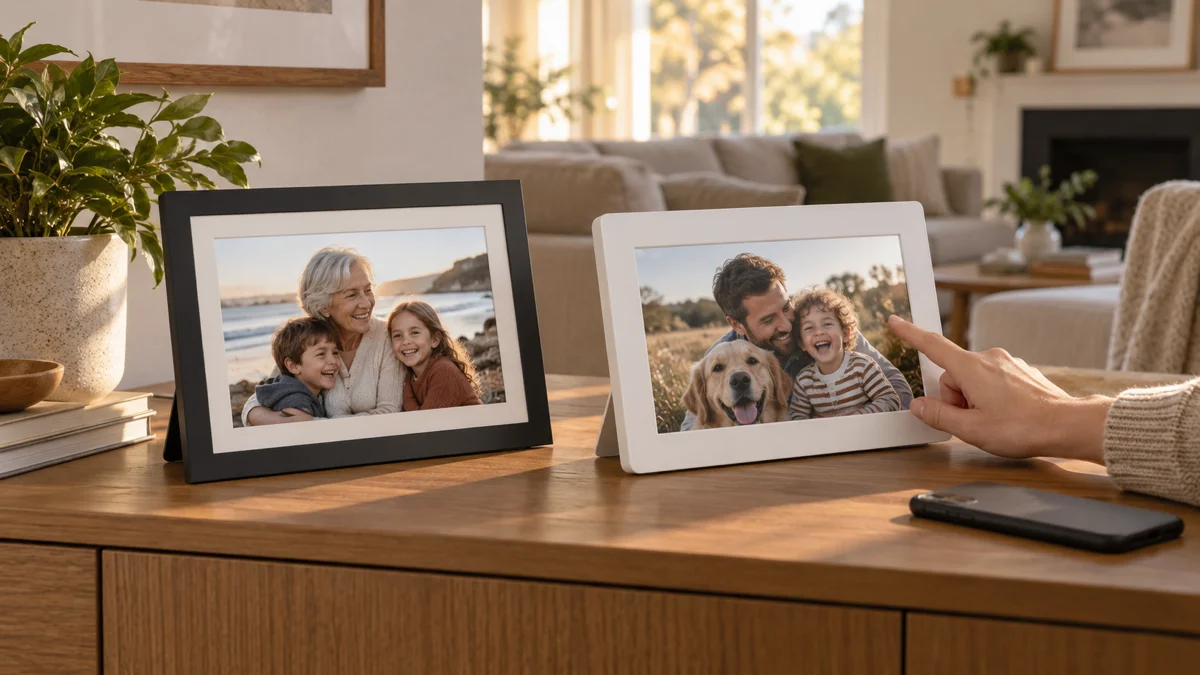
Aura is the better choice for most families who want the simplest remote setup and no subscription. Skylight is better when the person using the frame wants a touchscreen, local storage, or reliable viewing after Wi-Fi drops.
That sounds like a small distinction until you picture the actual handoff. With Aura, the family member who sends the photos does most of the managing in one app. With Skylight, more of the experience lives on the frame itself. One design reduces decisions for the recipient. The other gives the recipient more control.
We compared official U.S. product and plan pages on September 18, 2026, then checked those claims against NBC Select's July 2026 month-long side-by-side test. HeyBondi makes a competing pre-release family device, so we have kept this comparison focused on documented Aura and Skylight features rather than pretending to be a neutral retailer.
The short answer
Choose Aura if you want the lowest-maintenance family system. Setup and settings stay in one app, uploads are unlimited, and there is no subscription. Choose Skylight if the recipient wants to tap, swipe, zoom, and adjust photos on the frame, or if the frame needs to keep showing stored photos without an internet connection.
Aura vs Skylight at a glance
| What matters | Aura | Skylight Frame 2 |
|---|---|---|
| Best for | Simple remote family management | On-frame control and offline viewing |
| Comparable starting point | Carver 10 at $149; Carver Mat at $179 | Frame 2 styles shown from $179.99 |
| Subscription | No subscription | Basic use is free; Plus is $39 per year after the trial |
| Storage model | Unlimited cloud storage | 16 GB local storage; cloud backup is a Plus feature |
| Recipient controls | Touch bar or buttons, depending on model | Full touchscreen |
| Without Wi-Fi | Wi-Fi is required for cloud-delivered content | Stored photos continue to display offline |
| Gift setup | Preload virtually or by package QR code | Gift Mode can preload photos before unboxing |
| Overall | Better for simplicity | Better for local control |
Prices are the regular prices shown on U.S. brand pages reviewed September 18, 2026. Promotions, styles, and bundles may produce a different checkout price.
Which frame is easier to set up for a parent or grandparent?
Aura wins for setup because the helper can do almost everything from a phone. The official Aura Carver Mat page says its app is required for setup, invitations, and settings. Its gifting flow lets the buyer preload photos before delivery by scanning the package QR code or setting up the frame virtually.
Skylight is still straightforward, but the setup crosses between the mobile app and the frame's touchscreen. In the NBC Select test, Aura took less than five minutes and automatically passed the Wi-Fi network through the phone. Skylight required entering the Wi-Fi password on the frame and creating its sharing email during setup.
Winner: Aura for the family member doing the setup. If your parent enjoys setting up a touchscreen device, the difference matters less. If every extra screen and password becomes a support call, Aura's app-first flow is the safer choice.
Which is easier for the whole family to send photos to?
This category is close, but Aura has the cleaner all-in-one system. Aura's official frame comparison guide lists its app, text-to-frame in the U.S. and Canada, web upload, email, camera-roll sharing, iCloud, and Google Photos. The brand says invited contributors and uploads are unlimited without a subscription.
Skylight supports app and email sharing, and contributors can send without paying for Plus. That email address is genuinely useful when a relative will never download another app. The trade-off appears later: the current Skylight Frame 2 product page highlights albums, remote control, and cloud backup in the $39-per-year Plus plan.
Winner: Aura for ongoing family management. Skylight wins a narrow point for an email-first mental model. Before buying either, decide who will keep the frame alive after the first week. The easiest sender app is not useful if nobody remembers to send.
Which is easier for the recipient to use every day?
Skylight gives the recipient more obvious control. Its official frame guide describes a 10-inch Frame 2 touchscreen. The person in front of it can swipe, pinch, crop, zoom, and tap a heart on a photo. For someone who already uses a tablet comfortably, that directness can feel familiar.
Aura deliberately keeps more control in the app. Its Carver models use a touch bar, while the Aspen adds side touch controls. This can reduce visual clutter and accidental changes, but it also means a distant family member may remain the system administrator.
Winner: it depends on the recipient. Choose Skylight for a person who wants to touch and control the frame. Choose Aura for a person who wants the frame to quietly work while someone else handles settings.
Which has the better display?
Aura has the better photo-first design across its lineup, but model choice matters more than brand slogans. The 10.1-inch Aura Carver Mat has a 1280 by 800 landscape display. The 12-inch Aura Aspen uses a 1600 by 1200 display with a 4:3 aspect ratio and can rotate between portrait and landscape.
Skylight Frame 2 lists a 1920 by 1200 anti-glare screen, 16:9 aspect ratio, and multiple swappable borders. A higher pixel count does not guarantee a better family-photo crop. In NBC Select's side-by-side test, the reviewer preferred Aura Aspen's image presentation because its 4:3 shape matched typical smartphone photos more naturally. Skylight offers more style choices and manual brightness control.
Winner: Aura for photos that should resemble a real frame. Skylight for decorative choice and touchscreen control. If home fit matters, also compare our guide to choosing a digital frame that looks good in the room.
Which is cheaper over time?
Aura is easier to budget because the purchase price is the whole software price. Current Aura product documentation says its frames include unlimited photo and video uploads with no subscription fee.
Skylight can still send and display photos without Plus. Its current Frame 2 page promotes a one-month Plus trial followed by $39 per year for albums, remote control, and cloud backup. Skylight's own pages have changed how some features are described, so confirm the exact Basic and Plus boundary at checkout.
Winner: Aura for predictable lifetime cost. Skylight remains reasonable if you only need the free basics, but the features most useful to a distant helper can be the very ones that create the recurring bill. Our digital frame subscription comparison shows how to calculate the three-year cost.
What if the frame loses Wi-Fi?
Skylight wins clearly for offline viewing. It stores uploaded photos locally, so the slideshow can continue after the internet goes down. The official Frame 2 page lists 16 GB of storage, described as space for up to 16,000 photos, although real capacity varies with file size.
Aura uses cloud storage and requires Wi-Fi to receive and show its cloud-delivered library as designed. For a home with stable broadband, that is rarely the deciding factor. For rural homes, seasonal properties, or unreliable routers, it can be decisive.
Winner: Skylight for weak or intermittent internet. If router changes are common, read the most common digital photo frame problems before gifting either device.
Who should choose Aura, and who should choose Skylight?
- Choose Aura for a parent who wants photos to appear without managing a device. One family helper can run the frame remotely, and there is no subscription decision later.
- Choose Skylight for a parent who wants to interact with the screen. The touchscreen and heart reaction make the frame feel more like a simple tablet.
- Choose Aura for a large contributor group. Unlimited contributors and storage simplify the rules.
- Choose Skylight for unreliable Wi-Fi. Local storage keeps existing photos visible offline.
- Choose neither if your goal is conversation rather than display. A conventional frame can deliver a picture, but it does not automatically create the story or response around it. Our guide to what makes a smart digital frame different covers that wider category.
Aura vs Skylight frequently asked questions
Is Aura better than Skylight?
Aura is better for most families who prioritize simple remote management, unlimited cloud storage, and no subscription. Skylight is better when local storage, offline viewing, a full touchscreen, or swappable decorative frames matter more.
Does Aura or Skylight require a subscription?
Aura does not require a subscription. Skylight's core photo sharing works without Plus, while albums, remote control, and cloud backup are promoted as Plus features at $39 per year after the trial.
Can grandparents use Aura or Skylight without a phone?
They can view photos on either frame without using a phone in daily life. A helper still needs a phone or web account for setup and sending. Skylight places more controls on the frame; Aura places more management in the contributor's app.
Which frame works better without Wi-Fi?
Skylight works better without Wi-Fi because stored photos continue to display locally. Both frames need Wi-Fi for initial setup and for receiving new photos.
Final verdict
Aura wins for the family who wants technology to disappear. It has the more coherent app-first experience, no recurring plan to evaluate, and fewer reasons for the recipient to troubleshoot.
Skylight wins when the frame should feel like the recipient's device. Its touchscreen, local storage, offline playback, and style options are real advantages. The right question is not “Which frame has more features?” It is “Who should carry the complexity after the gift is opened?”